Secure Catalog APK - Cyberchaze CTF Writeup
Walkthrough for the Secure Catalog APK Android reverse engineering challenge from Cyberchaze CTF.
Challenge Info
| Field | Details |
|---|---|
| CTF | Cyberchaze CTF |
| Challenge | Secure Catalog APK |
| Category | Android / Reverse Engineering |
Solution
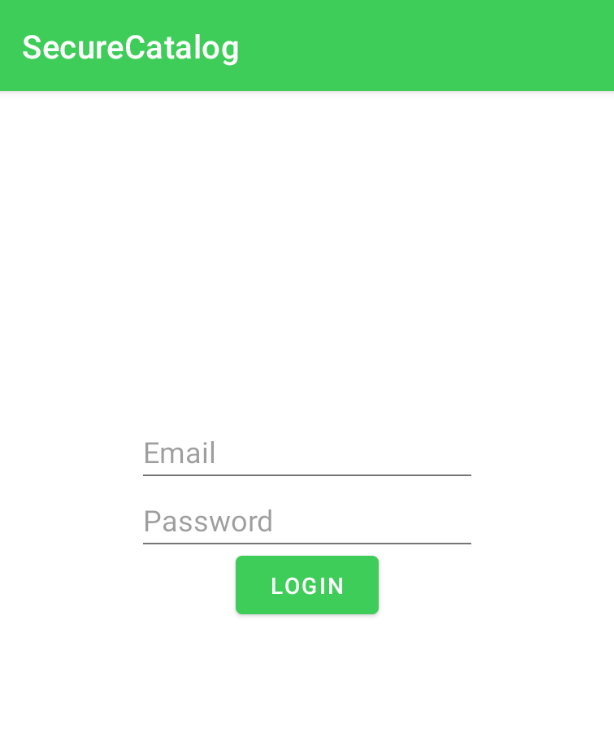
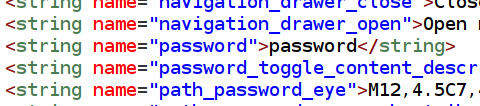
The app when launched first asks for email ID and a password If we dig through the strings.xml file in Jadx, we would find the email ID and the password required to login in
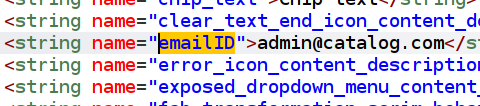
- email : admin@catalog.com
- password : password
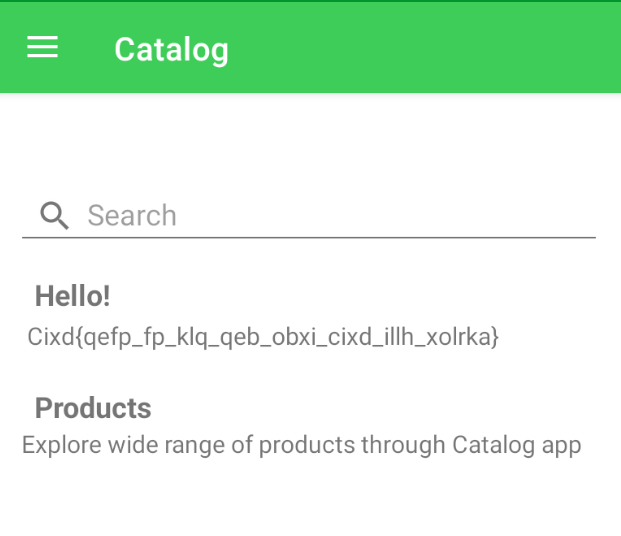
When we login we see a potential flag, but its encrypted with shift cipher(key=3) and if we decrypt it,
- ciphertext: Cixd{qefp_fp_klq_qeb_obxi_cixd_illh_xolrka}
- plaintext: Flag{this_is_not_the_real_flag_look_around}
After we login we can inspect the app with ADB We can see two databases in the /databases dir
- product_part1.db
- product_part2.db
We cannot directly access the database, it is protected by SQLCipher, so we need to find the key to access it
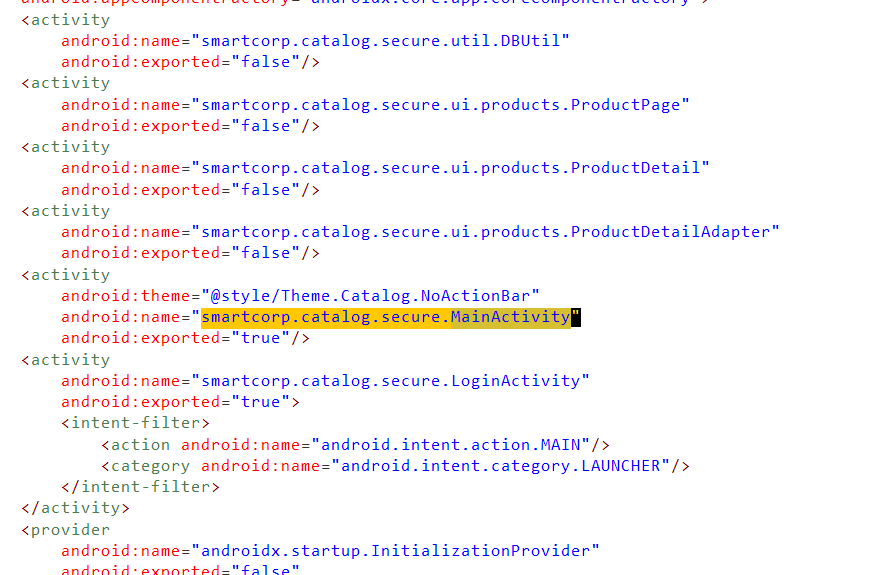
Further, if we inspect the Manifest..we see the DBUtil activity and if we inspect that
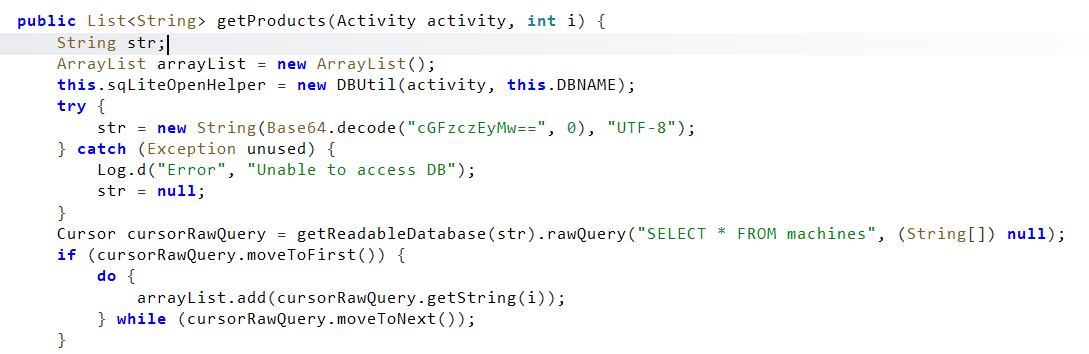

We can see a base64 encoded value which is used while executing the SQL query
- base64 encoded:
cGFzczEyMw== - decoded:
pass123
Potentially pass123 could be the key to access the database We pull both the databases to our system using ADB and then use sqlcipher product_part1.db and enter
1
2
PRAGMA key = 'pass123';
.tables
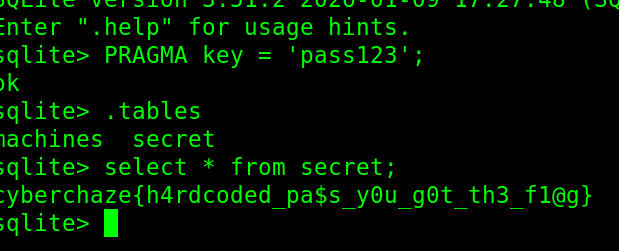
We see a table secret and if the run SELECT * FROM SECRET; we get the flag
Flag
1
flag: cyberchaze{h4rdcoded_pa$s_y0u_g0t_th3_fl@g}