Capture Me - Cyberchaze CTF Writeup
Walkthrough for the Capture Me Android reverse engineering challenge from Cyberchaze CTF.
Challenge Info
| Field | Details |
|---|---|
| CTF | Cyberchaze CTF |
| Challenge | Capture Me |
| Category | Android / Reverse Engineering |
Description
Join the chase in “Capture Me,” where your mission is to uncover and exploit vulnerabilities in mobile apps.
Solutuon
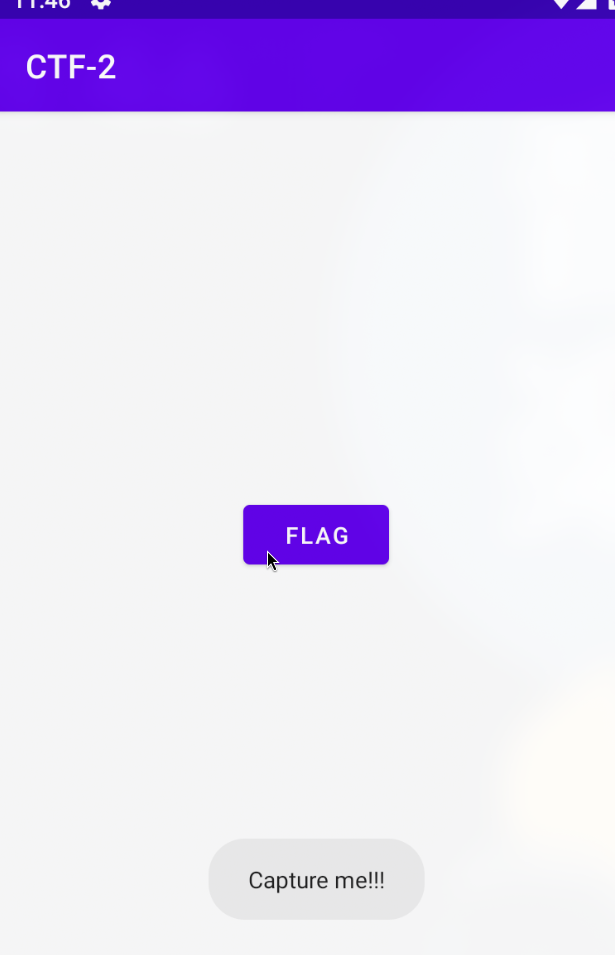
The APP has one button FLAG and when we click on it, it displays a toast CAPTURE ME !! Now, we can inspect it in Jadx,
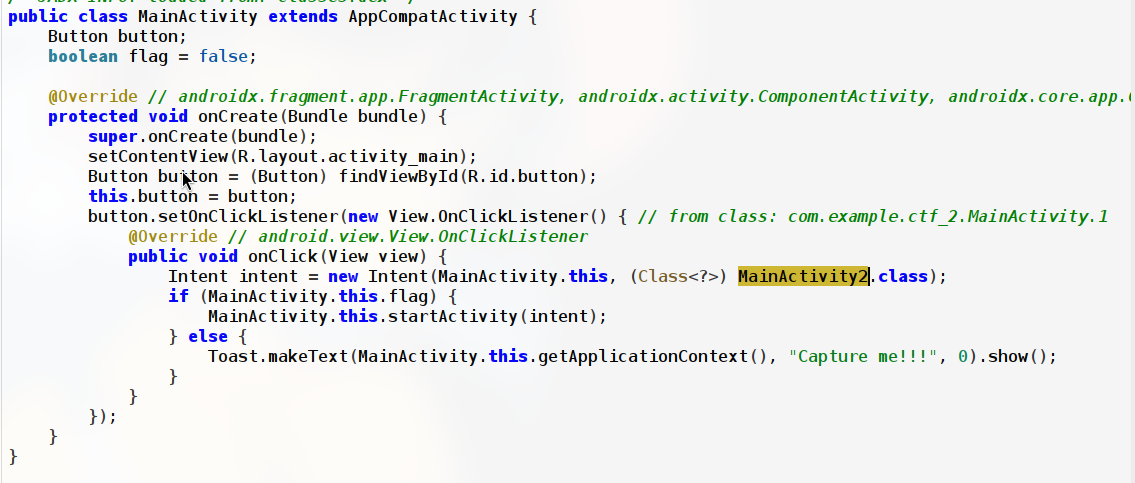
We can see the logic behind the button, when the button is clicked it is followed by a if-else block
- If(true) –> it opens the another activity
MainActivity2(likely where the flag is) - else –> it shows the toast
The default hardcoded value of flag is false, So it will always show the toast unless the we modify the value We can inspect the Manifest file to get an idea on what to do next.
1
2
3
4
5
6
7
8
9
10
11
12
android:dataExtractionRules="@xml/data_extraction_rules">
        <activity
            android:name="com.example.ctf_2.MainActivity2"
            android:exported="true"/>
        <activity
            android:name="com.example.ctf_2.MainActivity"
            android:exported="true">
            <intent-filter>
                <action android:name="android.intent.action.MAIN"/>
                <category android:name="android.intent.category.LAUNCHER"/>
            </intent-filter>
        </activity>
Since, the MainActivity2 has exported="true" we can directly open it through ADB without modifying any values am start -n com.example.ctf_2/.MainActivity2, we can run this command in our ADB terminal
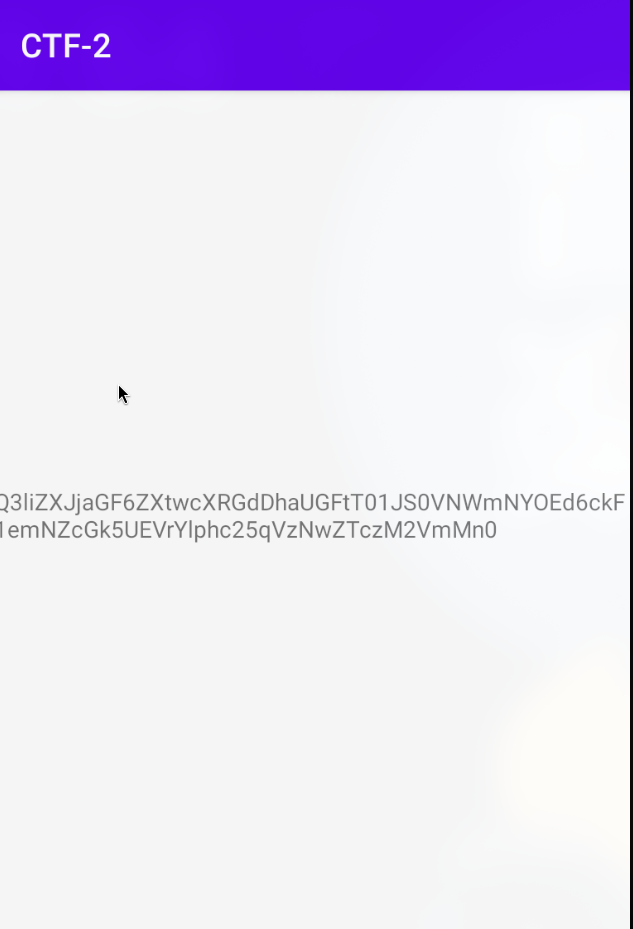
We can see the base64 encoded flag, to decode : echo "Q3liZXJjaGF6ZXtwcXRGdDhaUGFtT01JS0VNWmNYOEd6ckF1emNZcGk5UEVrYlphc25qVzNwZTczM2VmMn0" | base64 -d
Flag
1
FLAG:Cyberchaze{pqtFt8ZPamOMIKEMZcX8GzrAuzcYpi9PEkbZasnjW3pe733ef2}